The multi-track timeline, lane by lane
Video, overlay, audio and text lanes on one ruler — with pinch zoom, magnetic snapping, thumbnail strips and real waveforms.
Twenty deep dives into the ProCut video editor — every one built around real screenshots of the shipping app on a phone, and every claim checked against the feature that ships in version 1.0. Start anywhere; each guide stands alone.
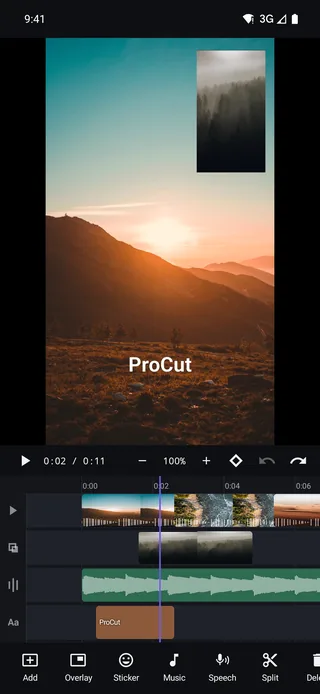
Video, overlay, audio and text lanes on one ruler — with pinch zoom, magnetic snapping, thumbnail strips and real waveforms.
The four gestures that do 90% of editing, and why ProCut stores cuts as frame numbers instead of approximate seconds.
Speed is a curve, not a number. Four presets, draggable control points, and a duration readout that updates as you bend it.
The three constant-speed tools, why pitch lock is on by default, and how to shoot footage that survives being slowed down.
Dissolve, fade, slide, zoom, wipe and blur swap — with true clip overlap and an audio cross-fade that rides along automatically.
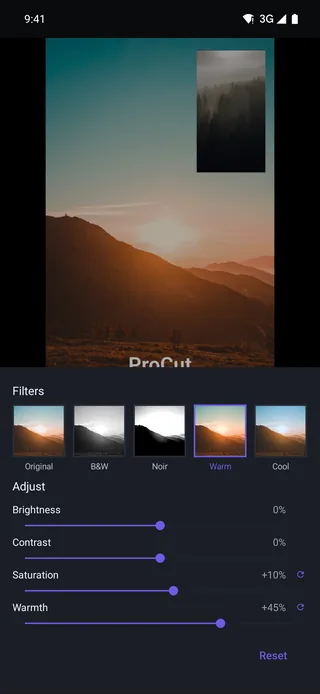
Six looks, four adjustment sliders, and the discipline that turns mismatched footage into something that reads as a single piece.
Scale, position, rotation, opacity and volume can all animate. Set two points, and the engine interpolates every frame in between.
Text is a clip, not a sticker — trim it, keyframe it, stack it. Plus the safe-area rules that keep captions off the UI of every app you post to.
Independent audio lanes, real waveforms, per-clip volume, fades, and the levels that make music and speech coexist.
Six named voices plus your device's installed voices, pitch and reading speed controls, preview before you commit, then straight onto the audio lane.
Faces, Love, Party, Animals, Food and Nature — dropped onto their own lane, then scaled, rotated and keyframed like anything else.
3-Second Hook, Travel Beat, food and sale layouts — each with a stated duration and slot count, and each fully editable once you open it.
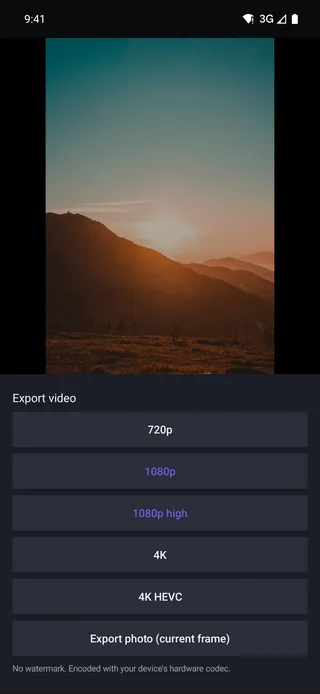
720p, 1080p, 1080p high, 4K and 4K HEVC — plus a photo export of the current frame, all through your device's hardware codec.
Imports build a 960p proxy for the timeline while export reads your original file — the reason a five-year-old phone can cut 4K footage.
Editing runs entirely on your device. There is no sign-up, no cloud processing of your footage, and aeroplane mode changes nothing.
A second video layer with its own position, scale, rotation, opacity and grade — the basis of reaction videos, tutorials and product inserts.
Native apps on every platform, one JSON project schema, and golden-frame tests that keep the three engines honest.
A notarised 4.3 MB universal .dmg with menu bar, keyboard shortcuts and a resizable window — plus an honest status report on Windows.
The whole editor is free, including 4K export with no watermark. Pro pays for licensed content and for cloud GPU time.
Arabic to Vietnamese, with right-to-left layout, per-locale number formatting and a text tool that measures type against the frame.
Free core, no watermark, no account. Install ProCut and open a project.