One project file, every device you own
Cross-platform usually means one codebase pretending to be native everywhere, and everyone getting the worst of it. ProCut took the expensive route instead: a real engine per platform, and one project format they all read identically.
In short
- Three native engines: Kotlin over media3, Swift over AVFoundation, C# and WinUI 3 over Media Foundation.
- One JSON project schema — copy a project to another device and it opens with the same cuts at the same frames.
- Golden-frame tests run against all engines, so a rendered frame matches across platforms rather than merely looking similar.
- Cloud project sync is a Pro feature; the format itself works with any file transfer you like.
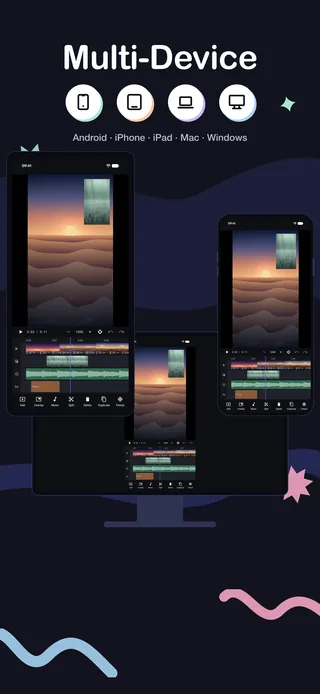
Why native, three times over
ProCut is not one codebase in a cross-platform wrapper. It is three:
| Platform | Language and UI | Media pipeline | Status |
|---|---|---|---|
| Android | Kotlin | media3 / MediaCodec | Shipping |
| iPhone · iPad | Swift | AVFoundation | Shipping |
| Mac | Swift, Mac Catalyst | AVFoundation | Shipping — direct .dmg |
| Windows | C# · WinUI 3 · .NET 9 | Media Foundation | In development |
The Windows editing core already passes the same golden tests; the desktop interface around it is not finished.
The cost of that decision is real: three codebases, three sets of platform bugs, three release processes. What it buys is equally real. Each app talks directly to its platform's hardware decoder, GPU compositor and hardware encoder, with no translation layer in between — which is why the binaries are small, launch is fast, and export runs at hardware speed rather than at framework speed.
One schema, one timeline model
A ProCut project is a JSON document describing the timeline: which media, which in and out points, which effect parameters, which keyframes. The schema is identical on every platform, and so is the timeline model built on top of it — the same rational time representation, the same frame-grid alignment rules, the same layering order.
That is what makes a project portable rather than merely importable. There is no conversion step, because there is nothing to convert.
Golden-frame tests
Sharing a file format is not enough on its own. Two engines can read the same timeline and still produce visibly different frames — a filter applied in a slightly different colour space, a transition curve with different easing, a rounding difference at a cut.
ProCut's engines are checked against golden-frame tests: a set of reference timelines rendered on every platform and compared against known-good output. The Windows core passes them today even though its interface is unfinished. It is the difference between "should look the same" and "verified to look the same".
The practical promise: a cut you make on the phone is the same frame on the Mac, and a graded clip is the same colour. Not approximately — measurably.
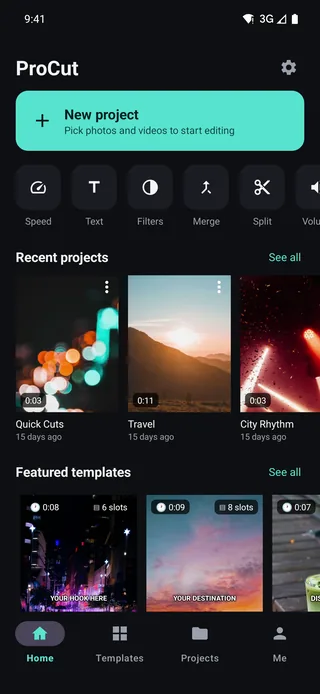
Moving a project between devices
Two routes:
- Copy the project. The format is a file. Move it however you move files — cable, drive, your own cloud storage — along with its media, and it opens on the other device.
- Cloud project sync, which is a Pro feature and does the same thing without you handling files.
Either way, no account is required to use ProCut — see the privacy post. Sync is an optional convenience layered on top, not the mechanism that makes portability work.
Which device for which job
| Device | Best at | Because |
|---|---|---|
| Phone | Capture-to-post in one sitting | The footage is already there; export goes straight to the app you post from |
| Tablet | Longer edits, precise trimming | More timeline on screen at once, and a finger covers proportionally less of it |
| Mac | Assembly, review, long projects | Menu bar, keyboard shortcuts, a resizable window and a large display |
The realistic workflow is mixed: shoot and rough-cut on the phone, refine on the tablet or the Mac, export from whichever device is nearest when you are done.
What is actually inside a project file
A ProCut project is small because it contains decisions, not footage.
| Stored | Example | Not stored |
|---|---|---|
| Clip references | Which media file, and where it lives | The media itself |
| In and out points | Frame numbers against the project rate | Trimmed frames |
| Lane and layer order | Which clip sits above which | Rendered composites |
| Effect parameters | Warmth +45%, speed curve points, keyframes | Rendered pixels |
| Project settings | Frame rate, resolution, aspect | The export |
That is why a project is kilobytes rather than gigabytes, and why nothing about opening one on another device involves a conversion step. Both engines read the same numbers and rebuild the same timeline.
The one thing that does not travel automatically
A project references your media; it does not contain it. Moving a project by hand means moving its media too, or the timeline opens with clips it cannot find.
- Copying by hand? Move the source footage alongside the project.
- Using cloud project sync (a Pro feature)? That is precisely the problem it exists to handle.
- Working across devices regularly? Keep the footage for a shared project in one place from the start rather than reorganising it later.
This is the same trade every editing application makes, from the largest desktop suites down. Referencing media rather than copying it is what keeps a project file small enough to move at all.
Two engines, one set of reference frames
Reading the same project file is the easy half. The hard half is producing the same picture from it, because Android composites through media3 and OpenGL while Apple platforms use AVFoundation and Metal — different code, different hardware, different rounding.
The way that stays honest is golden-frame testing. A set of reference projects is rendered on every engine, and specific frames are compared against stored references pixel by pixel. A change that shifts a transition by one frame, or a colour value by a step, fails the build rather than shipping quietly.
What that guarantees in practice:
- A 0.6s dissolve occupies the same frames on every platform.
- Warmth +45% is the same shift everywhere, not the same slider position.
- A speed ramp resolves to identical source times.
- A keyframed move interpolates the same way on both.
It is also why the Windows engine was built before the Windows interface: the same test suite has to pass before there is anything worth putting a window around.
Frequently asked questions
Can I start a project on my phone and finish it on my Mac?
Yes. The project schema is identical across platforms, so a project moved to another device opens with the same cuts at the same frames. You move the file yourself — automatic cloud sync is on the roadmap, not in 1.0.
Is ProCut built on a cross-platform framework?
No. Android is Kotlin over media3, Apple platforms are Swift over AVFoundation, and Windows is C# and WinUI 3 over Media Foundation — three native engines sharing one project format.
Do exports look identical on different platforms?
That is what the golden-frame tests exist to guarantee: reference timelines are rendered on each engine and compared against known-good frames.
Start anywhere, finish anywhere.
Native apps on every platform, one project format, and golden-frame tests keeping them honest.
Keep reading
Desktop: Mac today, Windows next
A notarised 4.3 MB universal .dmg with menu bar, keyboard shortcuts and a resizable window — plus an honest status report on Windows.
Proxy editing and performance
Imports build a 960p proxy for the timeline while export reads your original file — the reason a five-year-old phone can cut 4K footage.
Offline editing and privacy
Editing runs entirely on your device. There is no sign-up, no cloud processing of your footage, and aeroplane mode changes nothing.