20+ languages, and what localising an editor really means
Translating an app's buttons is the easy part. An editor also has to lay out right to left, format durations and percentages the way each locale expects, and render text on video in scripts that behave nothing like Latin ones. ProCut ships in more than twenty languages with all of that handled.
In short
- More than twenty interface languages, following your system language automatically.
- Right-to-left layout for Arabic — mirrored controls, not translated labels in a left-to-right shell.
- Durations, percentages and numbers are formatted per locale, which matters on a screen full of them.
- Text to speech reaches other languages through your device's installed voices.
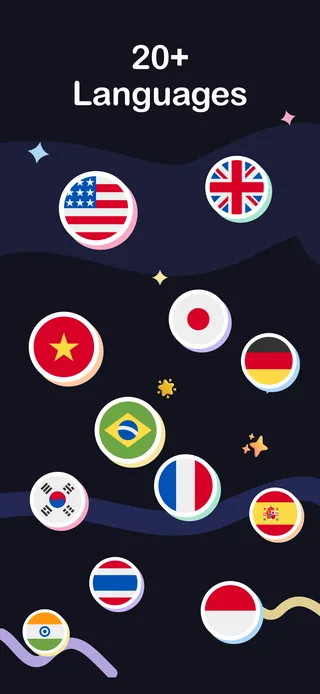
The languages
| Region | Languages |
|---|---|
| East and Southeast Asia | Chinese (Simplified), Chinese (Traditional), Japanese, Korean, Thai, Vietnamese, Indonesian, Malay, Filipino |
| South Asia | Hindi |
| Europe | English, German, French, Spanish, Italian, Polish, Russian, Ukrainian, Turkish |
| Americas | Portuguese (Brazil), Spanish |
| Middle East | Arabic (right-to-left) |
The app follows your system language automatically; no first-run picker to get wrong.
Right-to-left is a layout problem
Supporting Arabic properly is not a translation task, it is a layout task. In an RTL locale the whole interface mirrors:
- Panels, toolbars and navigation flip to run right to left.
- Directional icons — back, forward, next — point the other way.
- Sliders run in the mirrored direction, so "more" is where a reader expects it.
- Alignment defaults invert throughout.
What deliberately does not mirror is the timeline itself. Time runs left to right in every editing application on earth, and mirroring it would break the one mental model every video editor shares. Interface mirrors; the clock does not.
Numbers, dates and durations
A video editor's screen is mostly numbers — durations, percentages, speeds, file sizes. Getting them wrong is a small, constant irritation.
| Value | Varies by locale in | Example |
|---|---|---|
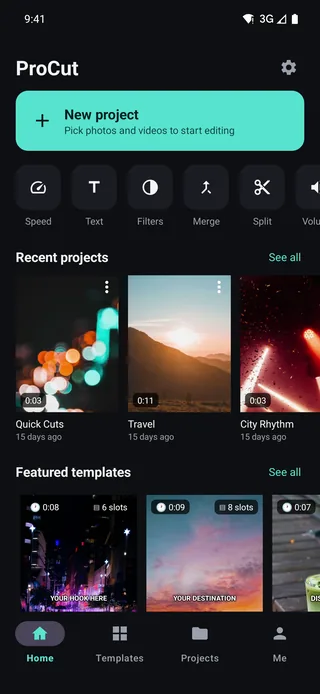
| Durations | Separator conventions | 0:03 / 0:11 |
| Percentages | Symbol placement and spacing | +45% |
| Decimals | Point versus comma | 0.6s or 0,6s |
| File sizes | Unit naming and grouping | 4.3 MB |
| Dates | Order and separators | Project modification times |
ProCut formats these through each platform's own locale services rather than hard-coding a format, so they match the rest of the device.
Rendering text onto video
Interface localisation and text on video are separate problems, and the second is harder. Scripts differ in ways that break naive text rendering:
- Arabic is cursive — letters change shape depending on their neighbours and must join correctly.
- Thai stacks marks above and below the baseline, so line height cannot be assumed from the font size.
- Devanagari forms conjunct clusters that are not simply sequences of separate glyphs.
- CJK characters are wider and break lines by entirely different rules.
ProCut renders text through each platform's native text engine, which is the one piece of software on the device that already handles all of this correctly. Type size is measured against the project frame rather than the screen, so a title looks the same on a phone and on a 4K export in any script.
Always preview titles in the language you are publishing in. A layout that fits comfortably in English can be 30% longer in German and considerably taller in Thai.
Voices beyond the named set
The text-to-speech panel lists six named English voices, plus an Installed voice row that uses whatever voices your device has. Download a voice for your language in your system settings and it appears there — which is how you produce narration in a language outside the named set, and how you build multiple language versions of the same edit from one project.
Changing the language
ProCut follows your system language. To change it, change your device's language — or on platforms that support per-app language settings, set it for ProCut alone in the system settings. There is no in-app picker to get out of sync with the rest of your device.
Why an editor is harder to localise than most apps
Most applications localise by swapping strings. An editor has three extra problems on top of that, and each one is visible to the user when it is done badly.
- Dense interface, long words. Toolbars are tight by design. A label that fits in English at 40% longer in German either truncates, wraps into two lines and pushes the layout, or shrinks below a readable size.
- Numbers everywhere. A timeline screen can show a dozen formatted values at once — durations, percentages, speeds, sizes. Every one of them has to follow the locale, or the screen looks foreign in a way people notice without being able to say why.
- Text rendered into the video itself. This is the hard one, because the output is a file that will be watched on devices you will never see, and any shaping mistake is baked into it permanently.
Making one edit in several languages
If you publish the same video for more than one audience, the project format makes this cheap. The picture edit is done once and never touched again.
- Finish the edit in your first language — cuts, colour, music, everything.
- Duplicate the project from the Projects tab, once per language.
- Replace the text clips. The styling and position survive; only the content changes. Check for overflow — see the warning above.
- Regenerate the narration with an installed voice for that language, then slide the sentences to fit.
- Export each at the same preset.
The picture edit — which is the expensive part — is done once. Everything after it is text and voice.
That is the last post in this series. Start again at the blog index, or go straight to the download page.
Frequently asked questions
Which languages does ProCut support?
More than twenty, including Arabic, Chinese (Simplified and Traditional), English, Filipino, French, German, Hindi, Indonesian, Italian, Japanese, Korean, Malay, Polish, Portuguese (Brazil), Russian, Spanish, Thai, Turkish, Ukrainian and Vietnamese.
Does ProCut support right-to-left layout?
Yes. In Arabic the interface mirrors — panels, directional icons and sliders all flip. The timeline itself keeps running left to right, because time does.
How do I change the app's language?
ProCut follows your system language. Change it in your device settings, or use your platform's per-app language setting to change it for ProCut alone.
In your language, from the first launch.
20+ languages, right-to-left layout and locale-correct numbers — free, with no account.
Keep reading
Text, titles and captions
Text is a clip, not a sticker — trim it, keyframe it, stack it. Plus the safe-area rules that keep captions off the UI of every app you post to.
Text to speech voiceover
Six named voices plus your device's installed voices, pitch and reading speed controls, preview before you commit, then straight onto the audio lane.
One project, every device
Native apps on every platform, one JSON project schema, and golden-frame tests that keep the three engines honest.